

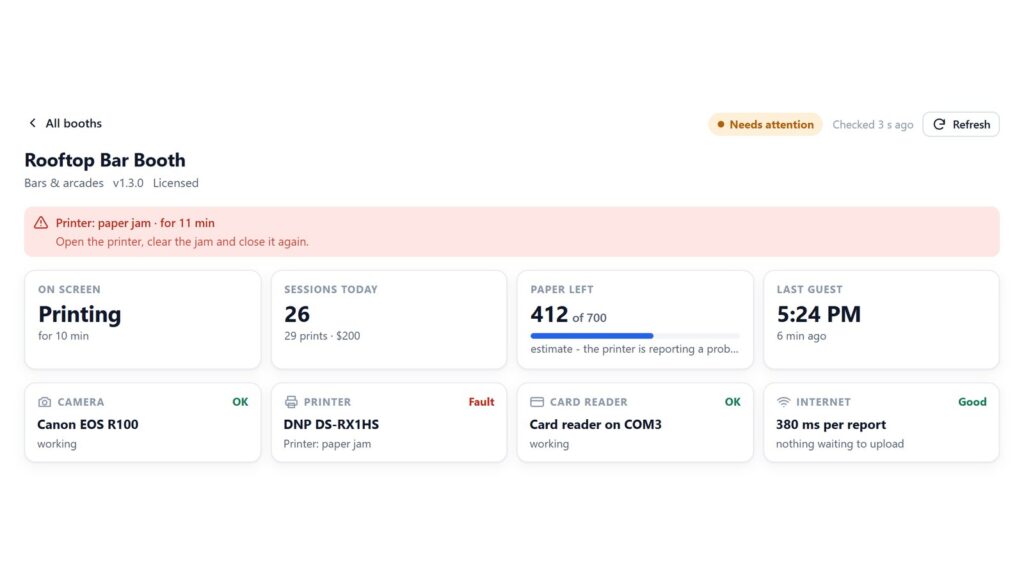
Every machine goes down eventually, and ours are no exception. In the opening weeks of our first permanent photo booth placement, a hardware fault meant refunding guests whose sessions did not complete. Nobody enjoys that. What turned it from a bad week into a fixable one was how quickly we knew. That, in short, is the real subject of any conversation about vending machine downtime.
Downtime is rarely the breakdown itself. It is the gap between the machine failing and someone who can fix it finding out. A booth that fails at 7 p.m. and gets noticed at 11 a.m. the next day was not down for a minute. It was down for sixteen hours. VertexBooth 1.3.0.0 is built around closing that gap, so this post walks through what actually takes a photo booth offline and how each problem reaches you.
How often do vending machines break down?
There is no honest single figure, and we would be wary of anyone who quotes one. It depends on the machine, the location, the power, the network and how often someone looks after it. However, a photo booth has more moving parts than a snack machine: a camera, a printer with paper and ribbon, a card reader and a PC. Any of them can stop a sale.
So the useful question is a different one. When something breaks, how long until you know, and can you tell what it is before you drive over? That number you can control.
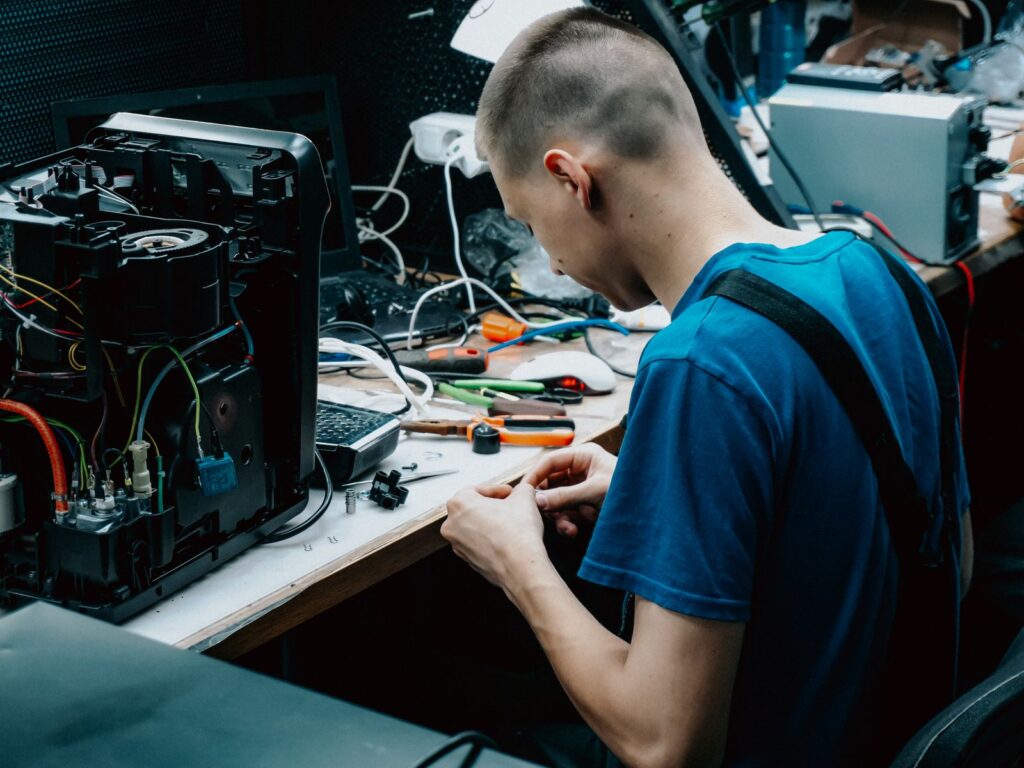
What causes vending machine downtime in a photo booth
We sorted the failures we plan for by how the booth reports them. The right-hand column is the part that changed in 1.3.0.0.
| What fails | What the guest sees | How you find out |
|---|---|---|
| Paper or ribbon runs out | Out of service as soon as the printer reports it, before anyone is charged | A phone alert, plus a warning when about a tenth of the roll is left |
| Printer jams or disconnects | Out of service, with a message you write | An urgent phone alert naming the printer and the reason |
| Camera disconnects | Out of service while the booth tries to reconnect it | An urgent alert, then an “it is back” alert if the reconnect works |
| Card reader stops answering | Nobody can pay | An urgent alert; the monitor marks the reader as faulty |
| Several cards declined in a row | Guests walk away | A new alert after three declines in ten minutes |
| The app runs out of memory or the display driver fails | A brief blank screen | The booth restarts itself and goes straight back to its start screen |
| Power cut, frozen PC or no internet | Nothing, or a dark screen | The heartbeat stops and your watchdog service alerts you |
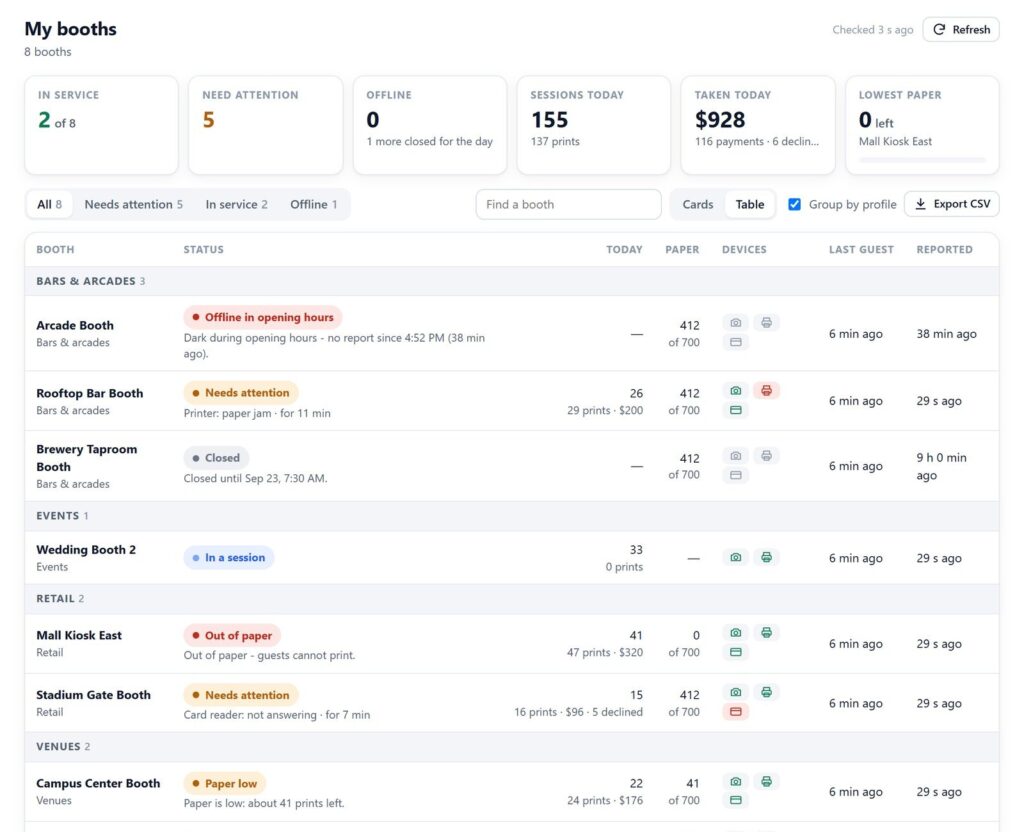
| Dark during opening hours | Nothing | Flagged red at the top of the fleet monitor |
The failure a machine cannot report
Look at the second to last row. A booth that has lost power, frozen or dropped off the internet cannot send an alert, because it cannot send anything. A lot of monitoring quietly ignores this case, which is unfortunate, because it is the one that loses a whole evening.
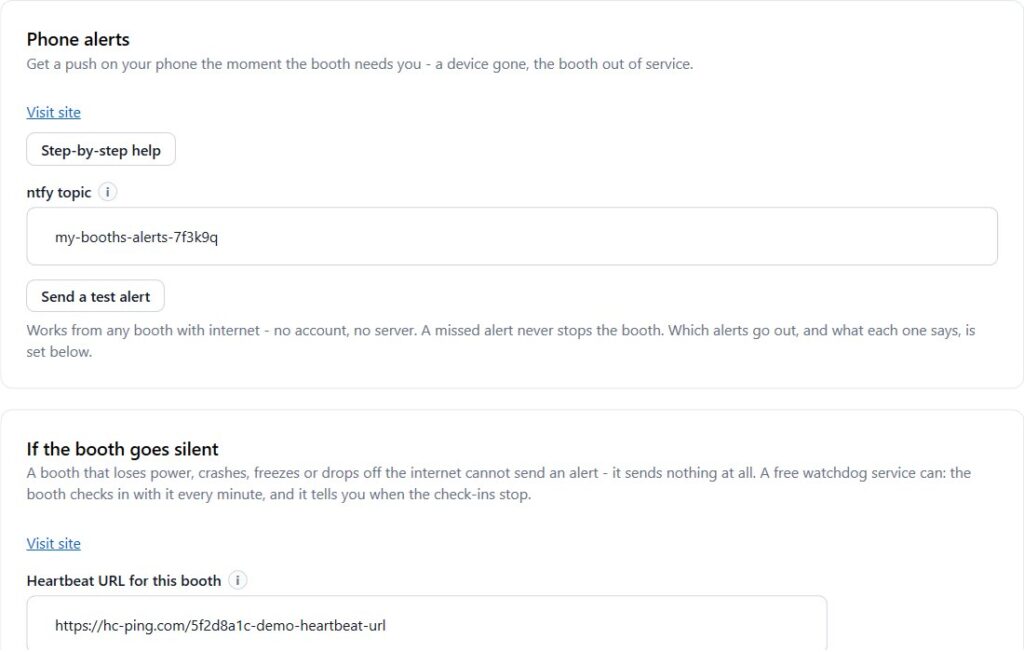
VertexBooth handles it with a heartbeat. You paste one address from a free watchdog service such as healthchecks.io into the booth, and the booth checks in with it about once a minute. When the check-ins stop, the watchdog alerts you by email, text or push. Meanwhile, no server of yours is involved, and each booth gets its own check so one dead booth is never hidden behind a healthy one.
Set up alerts before the next fault, not after it. Phone alerts and the heartbeat take a few minutes on the Monitoring page. Download VertexBooth and test both from your desk.
Keeping downtime short once you know
Of course, knowing fast is only half of it. The other half is not needing a trip for every problem.
Alerts that say what to do
Alerts go to your phone through the free ntfy app, and tapping one now opens that booth’s monitor page directly. The page says what is wrong and how long it has been wrong. It also says what to do about it in plain words, such as loading a new roll and resetting the paper count. As a result, a manager at the venue can often fix it with you on the phone.
One alert per problem
A printer that faults and the booth stopping because of it are the same problem, so they now arrive as one urgent alert instead of two. We also tell you when a restart has fixed a fault. Until now, an owner who got “printer out of paper” was never told it came back.
Fixing it without driving over
With a control PIN set, the monitor page can pause a booth, resume it, restart the app and reset the paper count. Plenty of “it is stuck” calls end with a restart, and that no longer needs anyone on site. A restart waits if a guest is using the booth, and a pause waits for them to finish.
Downtime that is not downtime
A booth that is off at 3 a.m. because the venue is closed is not a fault, and an alerting system that treats it like one trains you to ignore alerts. VertexBooth publishes each booth’s opening hours to the monitor. Off outside its hours, a booth reads as “Closed until” the next opening. Off during its hours, it goes to the top of the page in red. Only the second one deserves your evening.
Vending machine downtime questions
What is the most common cause of photo booth downtime?
The printer is the part most alerts are built around: paper and ribbon running out, and jams. Consumables are also the easiest to prevent, which is why the booth warns while there is still paper on the roll rather than when it is empty.
Can a photo booth alert me if it loses power?
Not by itself, because it has no power to send anything. A heartbeat solves this: the booth checks in with a watchdog service every minute, and the service alerts you when the check-ins stop.
Does the booth keep charging cards while it is broken?
No. When a device faults, VertexBooth goes out of service and stops asking for payment. A guest already mid-session is allowed to finish first.
Will I get an alert every time the booth closes for the night?
Not from the booth. It only alerts on faults. For the heartbeat, set the watchdog’s schedule to your opening hours, or pause the check when you switch the booth off.
Which failure costs you the most today? Tell us, because that list shapes what we build next. For how the booth runs without staff, read about unattended photo booth software. For the rest of the product, see the VertexBooth software page, and for venues, permanent photo booth installation.