

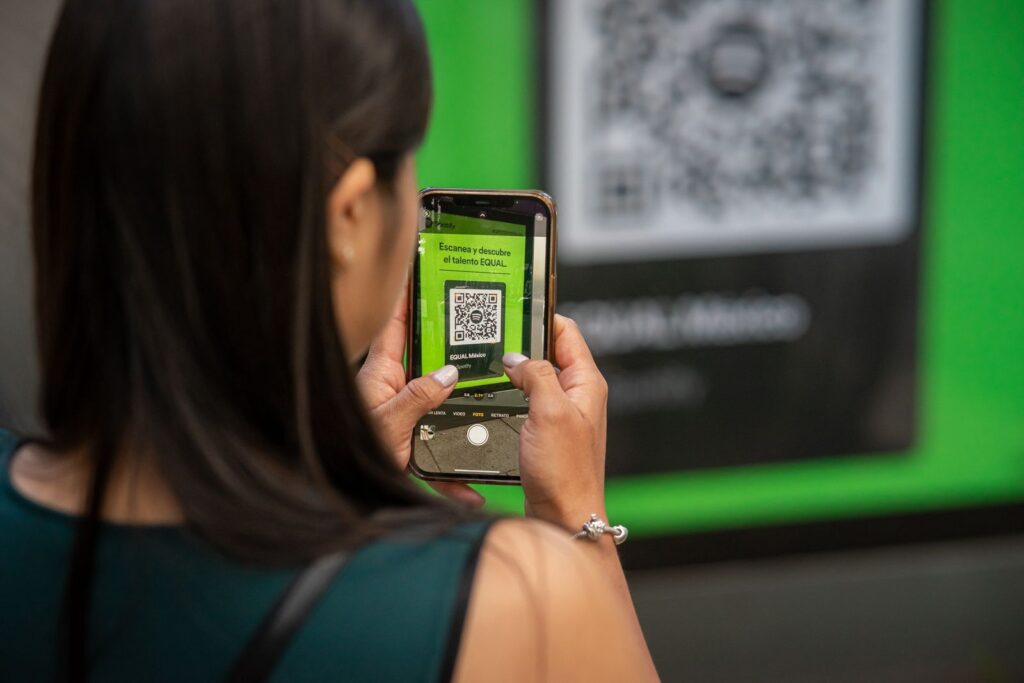
Does the QR code actually work when the guest gets home? That is the question to ask before you buy photobooth software with QR code sharing, and it is the one most product pages skip. A code that opens a page on the venue’s WiFi is gone the moment the booth is switched off. A code that opens a page on the internet still works a month later, when the guest finally remembers to post the photo.
VertexBooth does both. Version 1.3.0.0 also makes the second one much more complete, because guest pages now carry video clips as well as strips, photos and GIFs, and the whole event can be downloaded in one zip. Here is how QR sharing works, what to look for, and where each approach falls short.
Two kinds of QR code, and why the difference matters
Every booth that offers a QR code is doing one of two things behind it. In fact, that difference decides whether the code is a party trick or a delivery method.
A QR code that points at the booth
The simplest version puts the photos on a tiny web server running on the booth PC itself. The guest scans the code, their phone opens a page served by the booth, and they save the photo. It needs no account and no cloud, which is its main appeal. However, it only works while the guest’s phone is on the same network as the booth, and only while the booth is on. So at a wedding with good venue WiFi it is fine. At a bar where guests stay on mobile data, most scans go nowhere.
A QR code that points at the internet
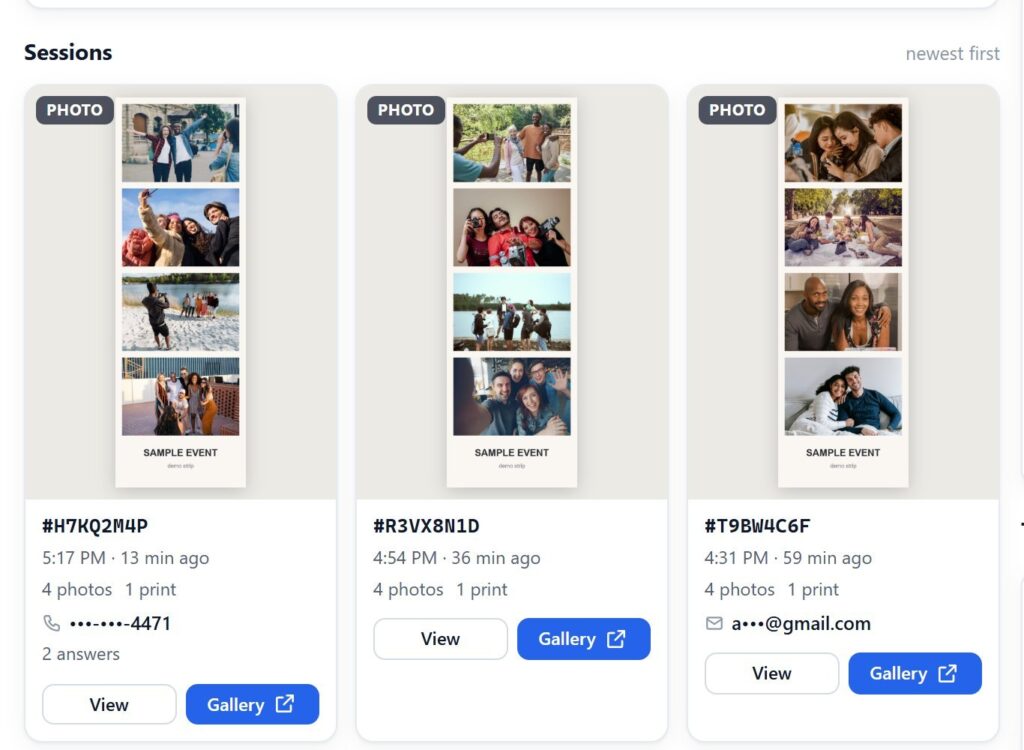
The better version uploads each session to online storage and gives the guest a link to their own page. As a result, the code works on any network, at any time, for as long as you keep the files. In VertexBooth that storage is your own Cloudflare R2 bucket. You own the account and the photos, and nothing of ours sits in the middle. Each guest gets a page with their strip, their individual photos, the GIF or boomerang if they made one, and now the video clip.
What to compare before you choose
When you compare photobooth software with QR code sharing, compare the other delivery methods too. QR codes, text messages and email all get photos to guests. Still, they are not interchangeable, and the right choice depends on the room.
| Delivery method | Guest types anything? | Works off the venue WiFi? | Works after the event? | Running cost |
|---|---|---|---|---|
| QR to the booth itself | No | No | No | None |
| QR to a cloud page | No | Yes | Yes, for as long as you keep it | Your storage, usually inside the free allowance |
| Text message | A phone number | Yes | Yes | Per message, from your text provider |
| An address | Yes | Yes | Usually none |
Our view is simple: a cloud QR code should be the default at any event where guests are on their own data. It asks nothing of the guest, it collects no personal details, and it keeps working. Text is the upgrade when a host wants the photo to land in the guest’s messages without them doing anything at all.
Scan your own test code. Set up the Cloud page, run a session at your desk, and open the page on your phone over mobile data. Download VertexBooth free to try it.
Setting up QR sharing in VertexBooth
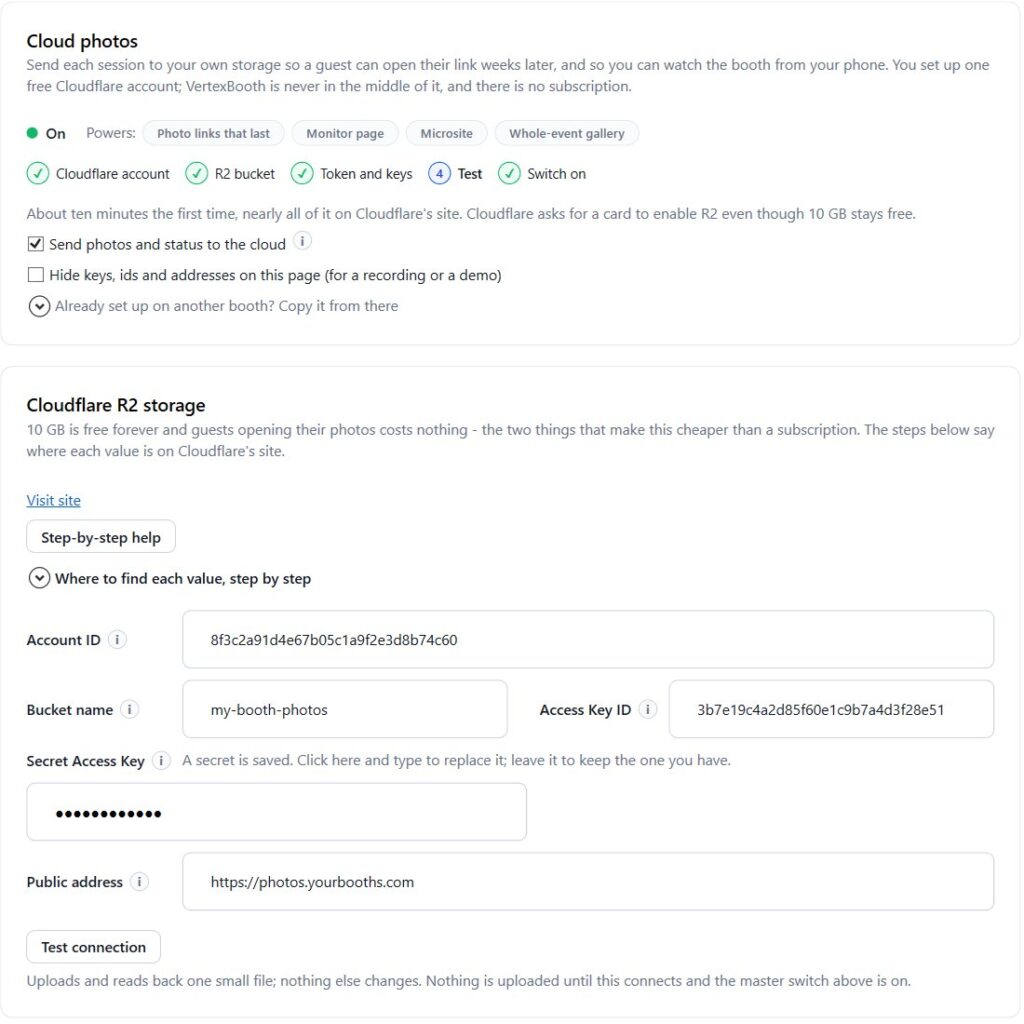
The Cloud page walks through the setup step by step. In 1.3.0.0 it also spells out exactly where each Cloudflare value is found. You create a bucket, make a key that can write to it, turn on the bucket’s public address, and paste four values into the booth. After that, every session uploads by itself.
Next, put a QR code on your sending screen. It appears where you place it in the screen editor, and it opens that guest’s page. You also decide when uploads happen. Uploading as soon as a session ends means the link works before the guest has walked away. Uploading only while the booth is idle keeps a slow PC from competing with its own live view.
How long guest pages stay online
You choose. The default is 90 days, which gives a guest time to come back to it and keeps a busy booth well inside Cloudflare’s free storage. However, set it longer for weddings, where the couple may want to share the link for months, or set it to keep everything. The rule is applied by the bucket itself, so the booth does not have to be switched on to tidy up.
Privacy, and what the page does not show
A guest page is reachable by anyone with its link, so it matters what is on it. VertexBooth keeps guests’ phone numbers, emails and form answers off the public page entirely. Instead, they go to a separate private record. Each session sits under a random code, so one guest’s link does not lead to anyone else’s photos. In addition, you can switch the download button on or off for each event.
Handing the whole event to the host
QR codes serve the guest. The host usually wants everything, and 1.3.0.0 adds Event download for that. Open Gallery in Studio, choose Download, and pick an event, a date range or every session on the PC. The software packs the strips, photos, animations and clips into one zip, arranged how you choose. For corporate clients, in fact, that zip is often the deliverable they are really paying for.
Photobooth software with QR code questions
Do guests need an app to scan a photo booth QR code?
No. Almost every current iPhone and Android phone scans a QR code from its camera app and opens the page in the browser.
Why do some photo booth QR codes stop working after the event?
They point at a page served by the booth PC over the venue’s network. Once the booth is off, or the guest leaves that network, there is nothing to open. A code that points at cloud storage keeps working.
Can a QR code include the video from a video booth session?
Yes. In VertexBooth 1.3.0.0 a guest’s page plays their clip alongside any photos, and the clip is an ordinary MP4 that works on any phone.
Is cloud storage for photo booth sharing expensive?
Usually not. Storage is billed by how much you keep, so a sensible retention period keeps most operators inside Cloudflare’s free allowance. You pay Cloudflare directly, if anything, not us.
We will keep the guest page simple on purpose. Every feature we add to it is another thing between a guest and saving their photo. For the rest of the software, see the VertexBooth software page, or read how we handle unattended photo booth software. Venues that want a booth on site full time can start with permanent photo booth installation.